 Facilitator Tools
Changing the order
| TL;DR Use the Session Builder view to see your session as a timeline. Reorder items and use the “+” insert points to add a new activity or slide at any position. |
|---|
Switch the View (top of the Designer) to Session Builder. This shows a Session Timeline with the item count and an estimated total duration (e.g. “3 items · Est. Duration ~6m”).
Each item appears as a card with a type badge, title, type and estimated time.
Use the “+” buttons between items (and at the end) to insert a new section or slide at exactly that point.
Reorder items to set the sequence participants will move through.
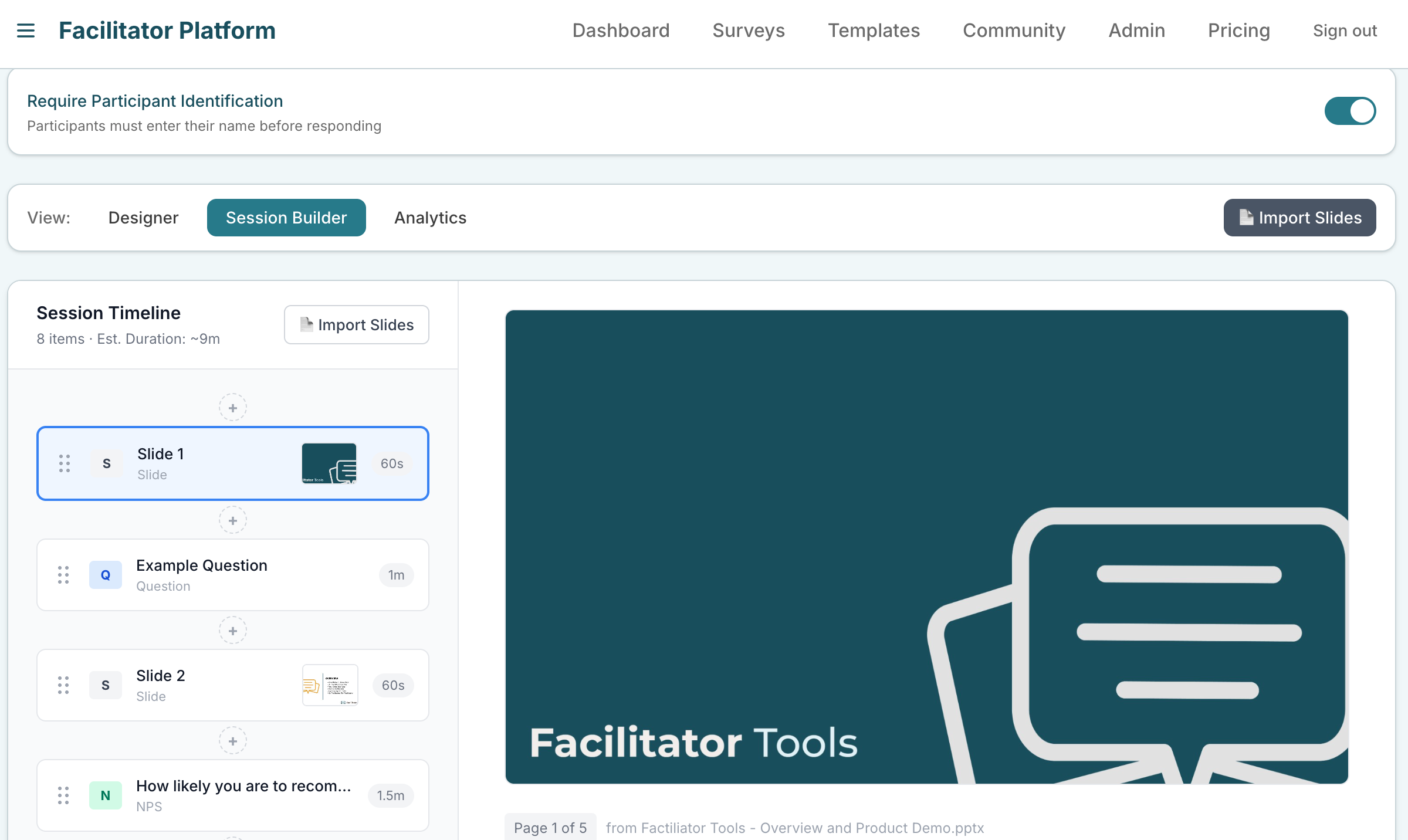
Session Builder timeline with item cards and the “+” insert points
The order here is the order activities run in (and the order the display page advances through with Prev / Next). You can also import slides from this view.
| Ask the assistant • How do I reorder my activities? • How do I insert an activity in the middle? • Where do I see how long my session will take? • How do I change the running order? |
|---|