 Facilitator Tools
Zoom integration
| TL;DR Add the Facilitator Tools app to Zoom, link your session to the meeting, and participants answer activities in the meeting sidebar while you drive the session from yours. |
|---|
Adding the app to Zoom
Open facilitator-tools.com/zoom, sign in to your Facilitator Tools account if asked, and click Add to Zoom. Zoom asks you to sign in.
Review the permissions and click Allow. The app only reads your Zoom profile, to match you to your Facilitator Tools account, and the meeting ID of the meeting it is opened in.
In any Zoom meeting, open Apps in the meeting toolbar and choose Facilitator Tools. The first time, sign in with your Facilitator Tools account (free accounts work).
Linking a session to the meeting
From the app: when it opens in a meeting, it lists your sessions. Pick one and it is linked to this meeting.
From the Designer: click Link to Meeting, set Platform to Zoom, enter the Meeting ID (from your Zoom invitation or the meeting info panel) and click Link Meeting.
Running the session
The host sees the session's activities in the sidebar with a response count for the live one. Next and Previous move through them, or tap any activity to make it live.
Click Invite everyone to the app so participants get a prompt to open Facilitator Tools in their own sidebar, where they answer the live activity. Send to chat drops the participant link into the meeting chat as a backup for anyone on an older client.
Click Share my view to everyone to put the live results view on everyone's screen with Zoom's Collaborate mode. Summarise runs an AI summary of open responses. Stop sharing my view ends it.
Everything is saved to the session, so results, exports and AI summaries are in your dashboard afterwards exactly as for a session run in the room.
Removing the app
Go to marketplace.zoom.us, open Manage and then Added Apps.
Find Facilitator Tools and click Remove. Removing the app revokes its access to your Zoom profile. Your Facilitator Tools sessions and data are not affected; to delete those, use your Facilitator Tools account settings or email support@facilitator-tools.com.
Troubleshooting
The app is not in my Apps list — add it from the link above first; account admins may need to approve apps for the account.
Participants see "Waiting for the next activity" — nothing is live yet. Make an activity live from the host sidebar.
An activity says it needs a bigger screen — image and strategic-framework activities open on the participant's phone or browser via the link in the sidebar.
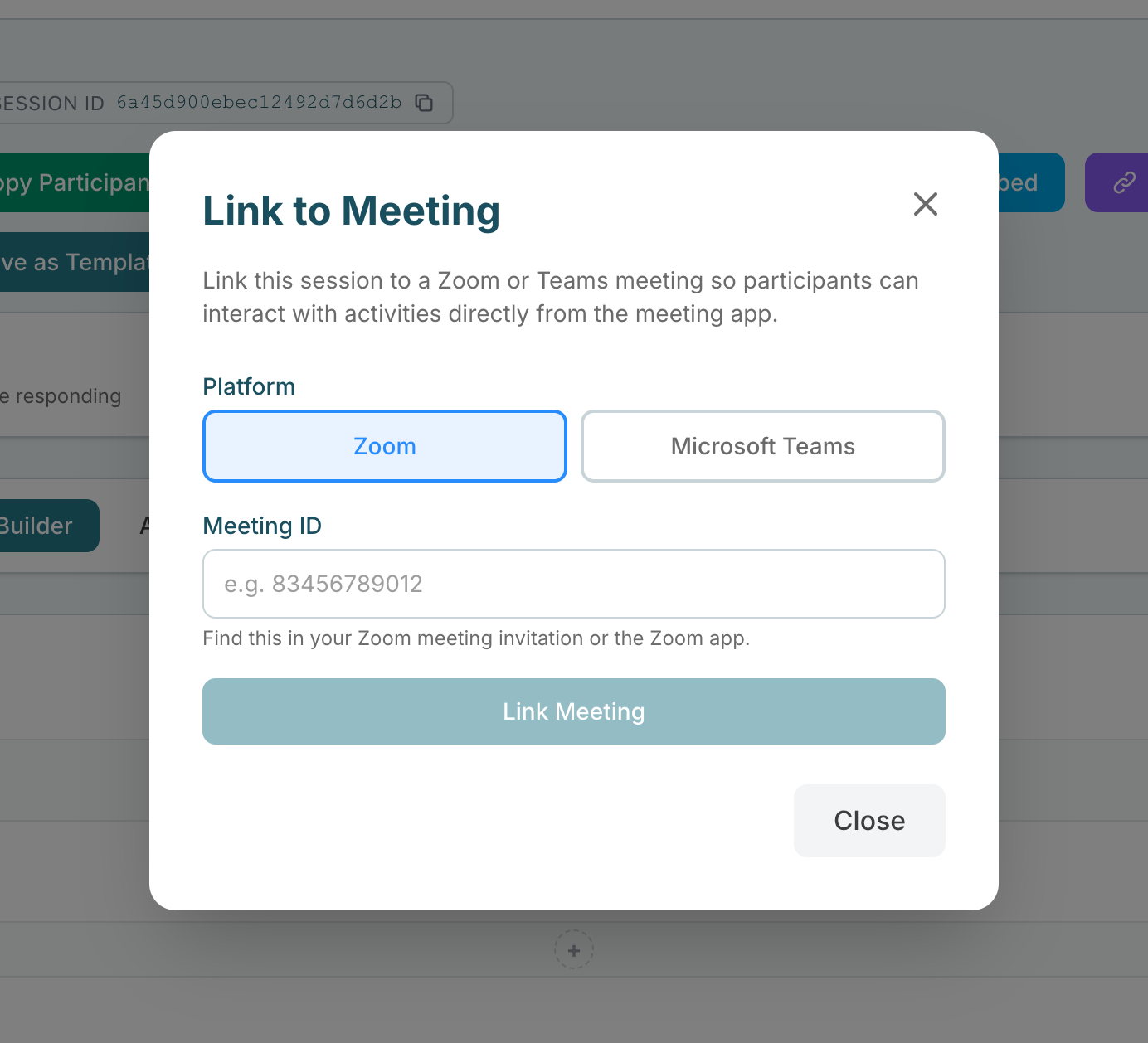
Link to Meeting dialog with Zoom selected and the Meeting ID field