 Facilitator Tools
Accessing existing sessions
Click Access Existing Sessions on Home, or Dashboard in the top bar.
Under “Your Sessions”, find your session in the list (each shows its name and creation date).
From a session’s card you can open the Designer, toggle its status, open the display page, copy the participant link, show its QR code, or get an embed code.
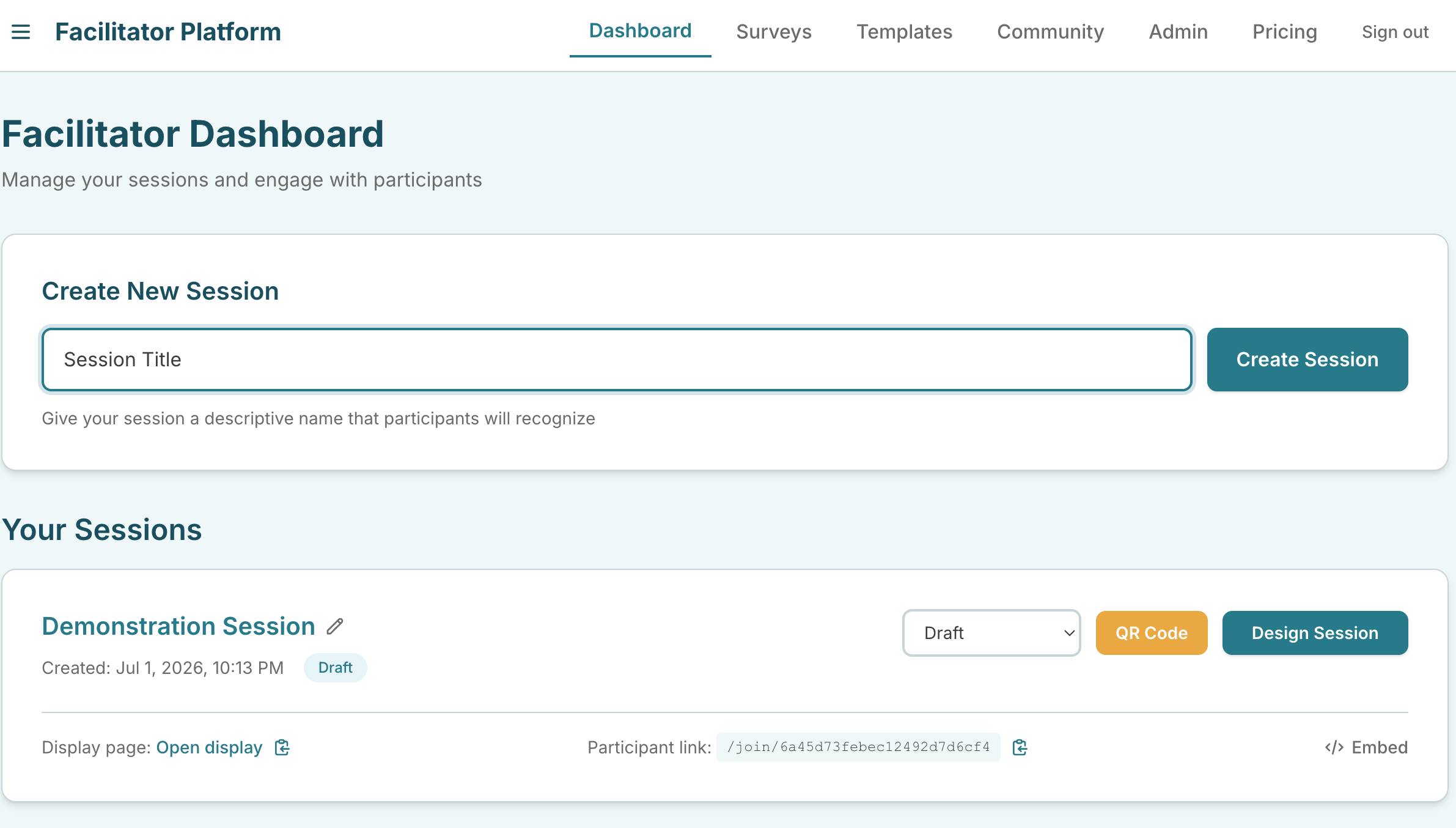
Dashboard “Your Sessions” list showing one session card with its controls
| Ask the assistant • Where do I find my existing sessions? • What do the buttons on a session card do? • How do I get to the Dashboard? • What is in the speech-bubble menu? |
|---|