 Facilitator Tools
The Session Designer at a glance
Every session opens in the Session Designer. Across the top you have: the session name, the Session ID, a Require Participant Identification toggle, a View switcher (Designer / Session Builder / Analytics), and action buttons including Import Slides, Session Branding, Preview, Go Live, Download, Embed, Copy Participant Link, Link to Meeting, Connect to PowerPoint, Save as Template and Restart Session.
- Require Participant Identification — when on, participants must enter their name before they can respond; when off, responses are anonymous.
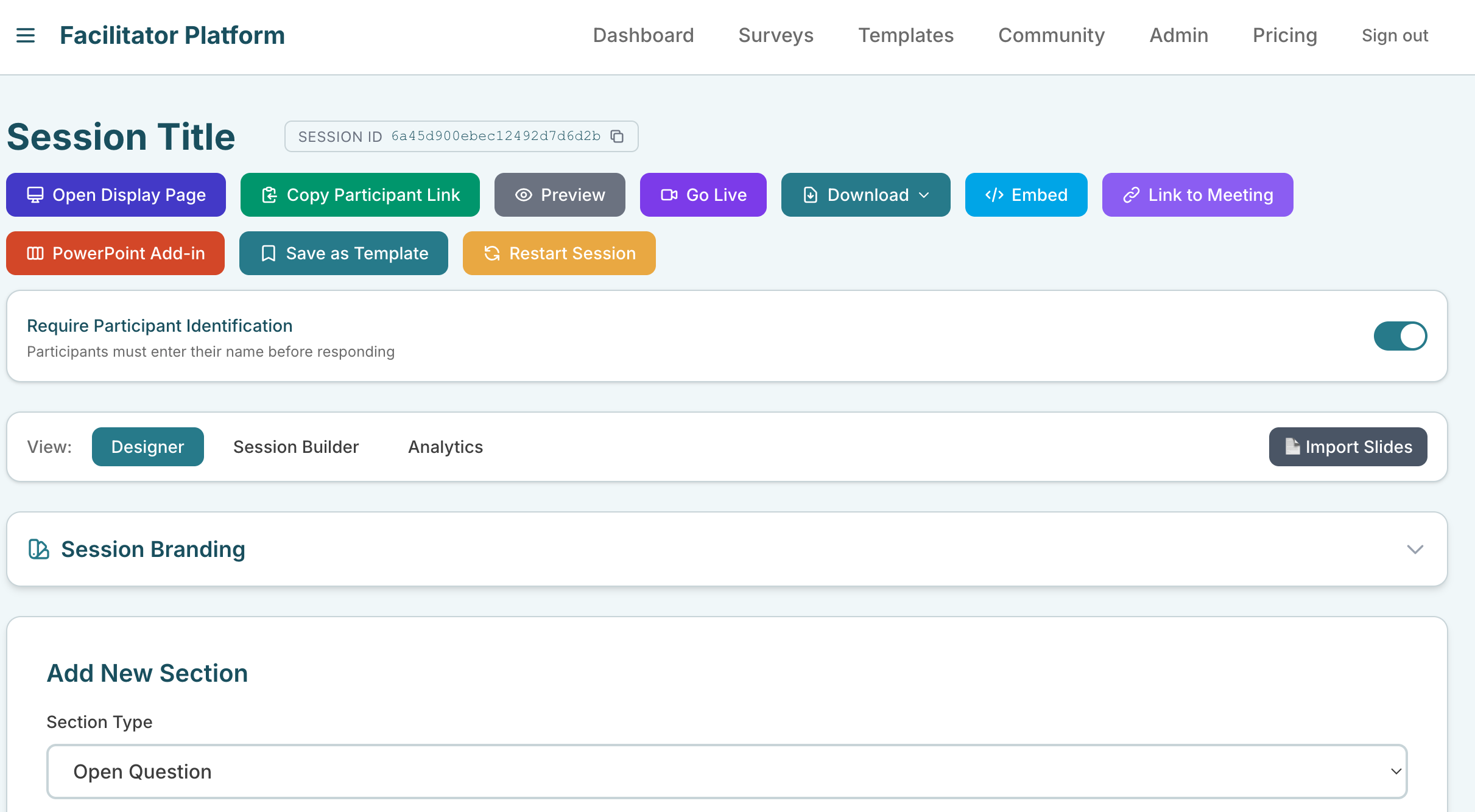
Session Designer top bar showing the View switcher and action buttons
| Ask the assistant • How do I create a new session? • Should I name my session before sharing it? • How do I make responses anonymous (or require names)? • What is the Session ID for? |
|---|