 Facilitator Tools
Picture Upload / Image Activity
[Pro+] Participants interact with an image you upload, in one of two modes.
Configuration options:
Activity Title — the instruction participants see, e.g. “Click on the area you think is most important”.
Mode — Click / Heatmap: each participant clicks a point on the image and the clicks build up as markers. Drag & Drop: participants drag labeled items onto the image.
Draggable Items (Drag & Drop mode) — up to 20 labels. You can also use Import from Question Responses to turn an earlier Open Question's responses into the draggable items, and refresh them from the source later.
Image File — PNG, JPEG, GIF or WebP. To use a different image later, edit the activity and choose a replacement file — existing click or drag-and-drop responses are kept.
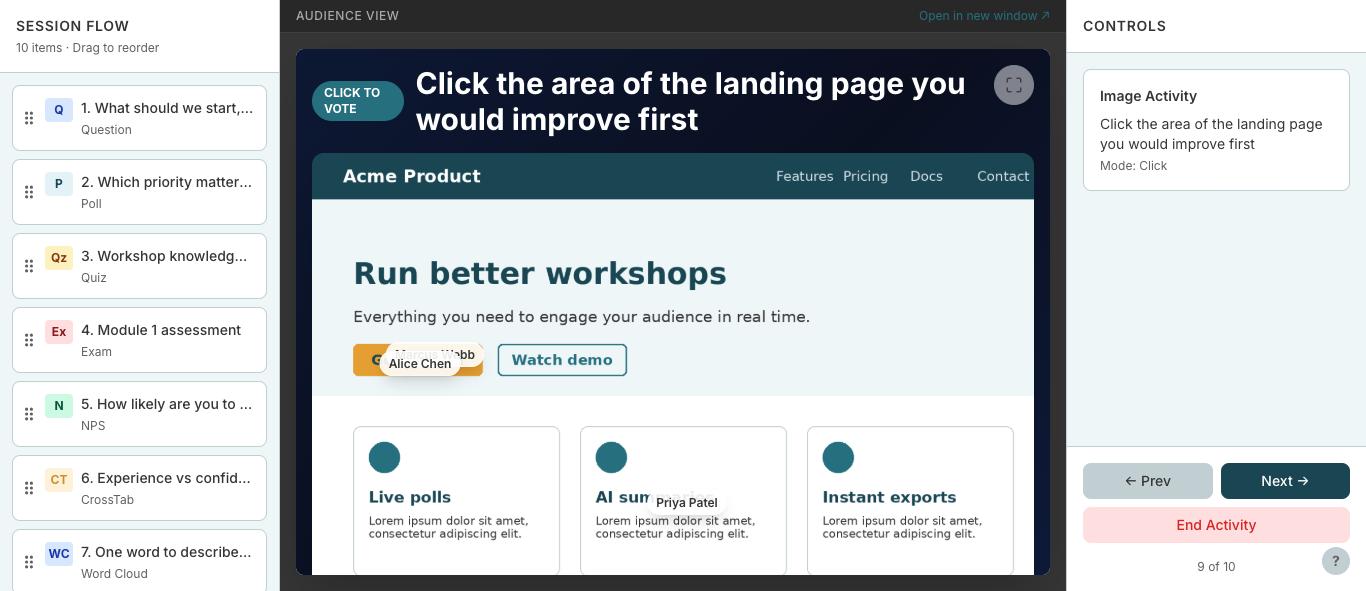
A Click / Heatmap Image Activity — participants' clicks appear on the image